Best Typography Tools to Find, Identify, and Pair Fonts
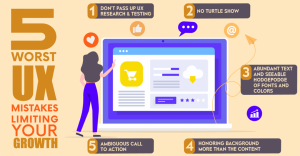
Typography is one of the most underestimated elements in digital design, yet it directly influences readability, usability, and perception. When users visit a website, their first impression is not formed only by colors or images — it is heavily shaped by how text appears and how easily it can be consumed. Poor typography can make even well-written content feel cluttered and unprofessional, while strong typography improves clarity, hierarchy, and engagement. As websites continue evolving in design sophistication, the tools used to manage and select fonts have become increasingly important.
Choosing the right font manually from thousands of available options is no longer practical. Designers and content creators rely on typography tools to streamline font discovery, pairing, and identification. These tools reduce guesswork, save time, and provide structured ways to test how fonts perform across different layouts. Whether you are a beginner learning typography fundamentals or an experienced UI/UX designer optimizing digital interfaces, understanding modern typography tools is essential.
This guide explores the most effective typography tools in 2026, explains how they work, and discusses when to use free versus paid solutions.
Why Typography Tools Matter in Modern Web Design
Typography directly impacts user experience. In digital environments, users scan content rather than read every word. Fonts must support fast scanning, clear hierarchy, and comfortable long-form reading. Without the right tools, designers often rely on subjective judgment, which can lead to inconsistent or ineffective results.
Typography tools allow designers to preview text in real time, compare font weights, analyze pairings, and test readability before implementation. They also help ensure fonts are optimized for web performance. In responsive website design, font rendering across devices is critical. A typeface that looks balanced on a desktop might feel cramped or oversized on mobile. Testing through professional tools reduces this risk significantly.
Beyond aesthetics, typography influences brand perception. Serif fonts often communicate tradition and authority, while sans-serif fonts suggest modernity and clarity. Script fonts convey elegance but may compromise readability in body text. With the help of structured typography tools, these choices become strategic rather than accidental.
Best Typography Tools for Designers in 2026
Wordmark
Wordmark is one of the simplest yet most practical tools for font exploration. It allows users to type custom text and instantly view it rendered in all fonts installed on their system. This immediate side-by-side comparison eliminates the need to manually switch fonts within design software, making it highly efficient during early-stage exploration.
This tool is especially useful when designing logos, headings, or branding elements where seeing the exact name or phrase in multiple fonts helps refine decisions. The visual clarity provided by Wordmark helps designers notice subtle differences in stroke width, letter spacing, and personality. Although it does not offer pairing suggestions or advanced typographic analysis, it excels as a rapid preview tool for narrowing down initial font choices.
Fontjoy
Fontjoy focuses on solving one of the most common typography challenges: pairing fonts harmoniously. Selecting a single font is relatively easy compared to finding two or three that work well together. Contrast must exist without causing visual conflict, and hierarchy must remain clear.
Fontjoy uses machine learning algorithms to generate font combinations that balance similarity and contrast. Designers can lock a specific font and allow the system to suggest complementary options for headings, subheadings, and body text. This structured approach saves significant time, particularly in web design projects where typography consistency is critical for usability. Because it integrates mainly with Google Fonts, the suggested combinations are also web-optimized, making them practical for real-world implementation.
WhatTheFont
WhatTheFont is a powerful recognition tool developed by MyFonts. It allows users to upload an image containing text and analyzes the letterforms to identify the closest matching fonts. This tool is invaluable when attempting to replicate branding, redesign legacy materials, or understand competitor typography.
The effectiveness of WhatTheFont depends heavily on image clarity. Clean, high-resolution text produces more accurate matches. While it may not always find an exact match, it typically suggests several close alternatives. This eliminates hours of manual searching and makes font identification far more efficient.
Google Fonts
Google Fonts remains one of the most widely used free typography resources. It provides hundreds of open-source fonts optimized for digital performance. Designers can preview custom text, test font weights, and filter fonts by style categories such as serif, sans-serif, display, and handwriting.
One of the biggest advantages of Google Fonts is performance integration. Because the fonts are hosted and optimized for the web, they contribute to faster loading speeds. For websites prioritizing performance and accessibility, this reliability is a major advantage. Although some Google Fonts are widely used and may lack uniqueness, they provide consistent quality and cross-browser compatibility.
MyFonts
MyFonts is a premium marketplace offering professionally crafted typefaces from independent foundries. Unlike free libraries, MyFonts focuses on exclusivity and advanced typographic features. Many premium font families include extended weights, stylistic alternates, multilingual support, and refined kerning.
Premium fonts are often chosen for branding projects where uniqueness is essential. They help businesses differentiate themselves and establish a stronger visual identity. However, they require proper licensing and investment. For large organizations or luxury brands, this investment often justifies the enhanced brand perception.
Free vs Paid Typography Tools: What You Really Get
When evaluating typography tools, the difference between free and paid options goes beyond pricing. It affects flexibility, scalability, brand uniqueness, feature depth, and even workflow efficiency. While many free tools are powerful enough for most website design projects, premium tools provide additional creative control and advanced typographic features that become important in complex branding systems.
Let’s clearly separate them and understand what each category offers.
Free Typography Tools
Free typography tools are widely accessible and suitable for designers, bloggers, startups, and businesses that need professional typography without additional cost. Many of these platforms are browser-based, making them easy to use without installation or subscriptions.
DaFont
DaFont is one of the largest free font repositories available online. It offers thousands of downloadable fonts across categories such as display, handwritten, gothic, techno, and decorative styles. Designers often use DaFont when looking for experimental or themed typography for creative projects.
However, unlike structured libraries such as Google Fonts, DaFont requires careful attention to licensing. Some fonts are free for personal use only, while others allow commercial usage. It is important to verify each font’s license before applying it to professional website design projects. The platform is best suited for creative exploration rather than structured brand systems.
The Font Playground
The Font Playground is an interactive tool that allows users to test typography properties directly in the browser. Designers can adjust font size, line height, weight, and spacing to see how typography behaves dynamically. This makes it particularly useful for UI/UX experimentation.
Unlike static previews, The Font Playground encourages hands-on testing of responsive typography. It helps designers understand how small adjustments influence readability and hierarchy. For web-focused projects, this type of real-time manipulation is extremely helpful when optimizing content-heavy pages.
Identifont
Identifont is a free font identification tool that works differently from image-based recognition systems. Instead of uploading an image, users answer a series of questions about letter shapes, serifs, proportions, and stylistic details. Based on responses, the system narrows down possible matches.
This approach is helpful when the font image is unclear or unavailable. While it requires some typography knowledge to answer accurately, it provides structured guidance that improves font identification skills over time. It is particularly useful for designers who want to understand font anatomy more deeply.
Font Squirrel
Font Squirrel offers curated free fonts that are specifically cleared for commercial use. Unlike some open repositories, Font Squirrel focuses on quality control and licensing transparency. This makes it more reliable for business websites compared to random free downloads.
Many designers prefer Font Squirrel when searching for free yet polished serif and sans-serif families suitable for professional branding. Although the library is smaller than Google Fonts, the curated nature ensures higher overall quality.
What Free Typography Tools Typically Offer
Free tools generally provide:
- Open-source or community-contributed fonts
- Basic font preview functionality
- Limited font family variations
- Simple pairing experimentation
- Web-compatible formats
They are excellent for informational websites, personal blogs, educational projects, and small business platforms. However, they may lack advanced features such as extensive multilingual support, alternate glyph sets, or exclusive branding capabilities.
Paid Typography Tools
Paid typography tools and platforms offer deeper creative flexibility, refined design quality, and advanced typographic controls. They are typically used in corporate branding, SaaS platforms, enterprise websites, and large-scale digital ecosystems where visual identity consistency is critical.
Adobe Fonts
Adobe Fonts is a subscription-based font service integrated within Adobe Creative Cloud. It provides access to thousands of premium typefaces from professional foundries. Because fonts sync directly with design software such as Illustrator and Photoshop, workflow integration is seamless.
One of the biggest advantages of Adobe Fonts is licensing simplicity. Fonts included in the subscription can generally be used for web, print, and commercial purposes without purchasing separate licenses. This makes it attractive for agencies managing multiple client projects. The library also includes extensive font families with multiple weights and stylistic alternates.
Monotype Fonts
Monotype Fonts is an enterprise-level typography management platform offering access to high-end professional typefaces. It is commonly used by global brands that require strict typographic consistency across digital and print channels.
Monotype provides advanced font management systems, allowing organizations to control licensing, usage rights, and distribution across teams. It supports large-scale branding initiatives where typography plays a central role in brand identity. This level of infrastructure is typically unnecessary for small projects but essential for multinational corporations.
Fontstand
Fontstand introduces a different model by allowing designers to rent premium fonts on a monthly basis. This is particularly useful for short-term projects, campaigns, or experimental branding exercises where purchasing a full license may not be cost-effective.
The rental approach reduces financial commitment while still granting access to exclusive, high-quality typefaces. Designers can test premium fonts in real-world layouts before deciding to purchase them permanently. This flexibility makes Fontstand appealing to freelancers and studios.
Creative Market
Creative Market is a design asset marketplace that includes premium font families created by independent designers. Unlike structured corporate platforms, Creative Market focuses more on artistic and stylistic typefaces suited for branding, packaging, and creative websites.
Many of the fonts available here offer unique personality and character. However, licensing terms vary by creator, so designers must review usage rights carefully. It is ideal for brands seeking expressive or niche typography styles.
What Paid Typography Tools Typically Offer
Paid platforms generally provide:
- Exclusive and professionally crafted font families
- Extensive weight variations and alternate characters
- Advanced OpenType features
- Multilingual and global support
- Strong licensing and commercial protection
- Brand differentiation
They are particularly valuable for companies aiming to build a strong, recognizable identity. While free tools are sufficient for many projects, premium typography becomes strategic when uniqueness, scalability, and refinement are priorities.
Common Typography Mistakes Designers Should Avoid
Even with access to the best typography tools, many designers make fundamental mistakes that negatively impact readability, usability, and brand perception. Tools assist in selection, but they do not automatically guarantee good typography decisions. Understanding these mistakes helps ensure that font choices actually improve the user experience rather than harm it.
Using Too Many Fonts in One Layout
One of the most common typography errors is excessive font usage. Designers sometimes experiment with multiple typefaces in a single layout, believing variety creates visual interest. In reality, too many fonts create inconsistency and confusion. When users encounter constant visual change in headings, subheadings, and paragraphs, hierarchy becomes unclear.
Professional website design typically relies on one primary typeface for headings and one secondary typeface for body text. Variation is achieved through weight (light, regular, bold) and size rather than completely different fonts. Consistency strengthens brand identity and improves scanning behavior, which is essential for user engagement.
Choosing Style Over Readability
Decorative or highly stylized fonts often look attractive in previews but fail in real-world usage. Script and display fonts may appear elegant for titles, but they quickly reduce readability when used in long paragraphs. This mistake is especially damaging on content-heavy websites where clarity is critical.
Typography must prioritize communication over decoration. A font that looks impressive but slows reading speed ultimately weakens user experience. Before finalizing a font, designers should test it in paragraph format, not just as a headline. Many typography tools allow real-time paragraph previews, which should always be utilized.
Ignoring Responsive Typography
Typography that works on desktops does not automatically work on mobile devices. Font size, spacing, and line height must adapt across screen sizes. A 16px body font may feel comfortable on a desktop but appear cramped on smaller screens if spacing is not adjusted.
Responsive typography requires testing in real layouts, not just isolated previews. Tools like Google Fonts preview panels or browser-based testing environments help evaluate how text behaves dynamically. Overlooking responsive adjustments is one of the main reasons redesigned websites still feel outdated.
Poor Contrast and Accessibility Oversight
Accessibility is a critical but often neglected part of typography. Low contrast between text and background reduces readability and excludes users with visual impairments. Light gray text on white backgrounds may look modern, but it frequently fails accessibility guidelines.
Good typography ensures strong contrast, adequate line spacing, and readable font sizes. Designers should always test contrast ratios and ensure compliance with accessibility standards. Inclusive typography expands reach and improves overall usability.
Blindly Following Typography Trends
Design trends shift rapidly. Minimal ultra-thin fonts, exaggerated spacing, or trendy display typefaces may dominate social media portfolios for a year and then disappear. Choosing fonts purely based on trends can make a website feel outdated quickly.
Strategic typography decisions focus on longevity rather than temporary popularity. A well-balanced serif or sans-serif family with multiple weights will remain effective longer than experimental styles. When selecting typography tools, designers should prioritize flexibility and scalability instead of chasing novelty.
Not Testing Font Pairing in Context
Font pairing tools such as Fontjoy provide excellent starting points, but combinations should always be tested within the actual layout context. A pairing that looks balanced in isolation may feel disproportionate when applied to navigation menus, hero sections, and content blocks.
Typography must be evaluated holistically within the entire design system. Headings, buttons, forms, and body text must feel connected. Skipping this step results in disjointed interfaces and weak visual rhythm.
Conclusion
Typography plays a crucial role in shaping how users experience a website. The right font improves readability, builds trust, and strengthens brand identity, while poor typography can weaken even the best content. Modern typography tools make it easier to find, test, and pair fonts efficiently, helping designers make informed decisions instead of relying on guesswork.
Free tools provide reliable and performance-friendly solutions for most web projects, while paid platforms offer advanced features and brand exclusivity when needed. Ultimately, successful typography is not about using the most stylish font — it is about creating clarity, consistency, and a seamless reading experience across devices. When used thoughtfully, typography tools become powerful assets in building better digital experiences.