Neel Networks
Build · UI/UX & Graphic Design

UI/UX Design Company for Websites and Digital Products.

Good design should make digital experiences clear, intuitive, and easy to use. As a UI/UX Design Company, Neel Networks creates experiences that are simple to understand and engaging to use. From websites to digital products, we design experiences that look great and work seamlessly.

Does this sound familiar?

Common Design and Usability Challenges

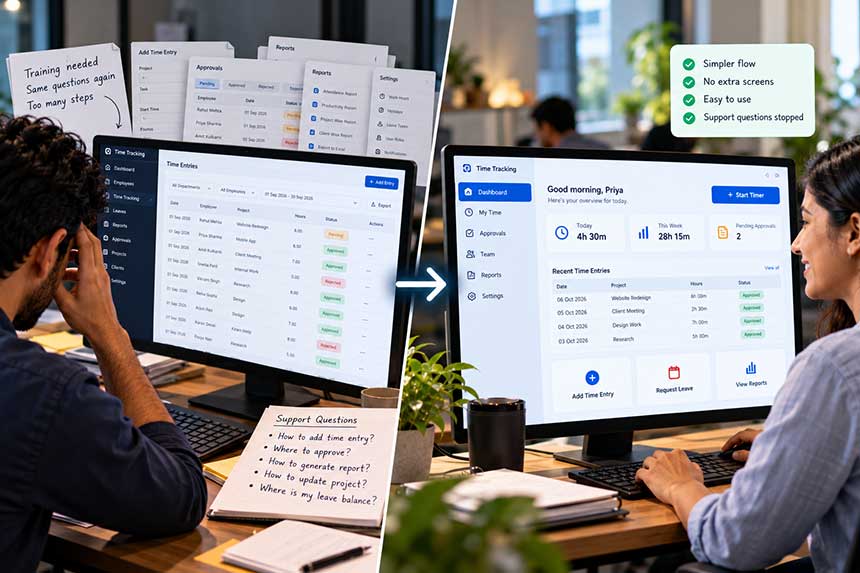
  • The software works well, yet new colleagues need training before they can use it comfortably.
  • Your support team answers the same three questions each week, which is usually a design matter in disguise.
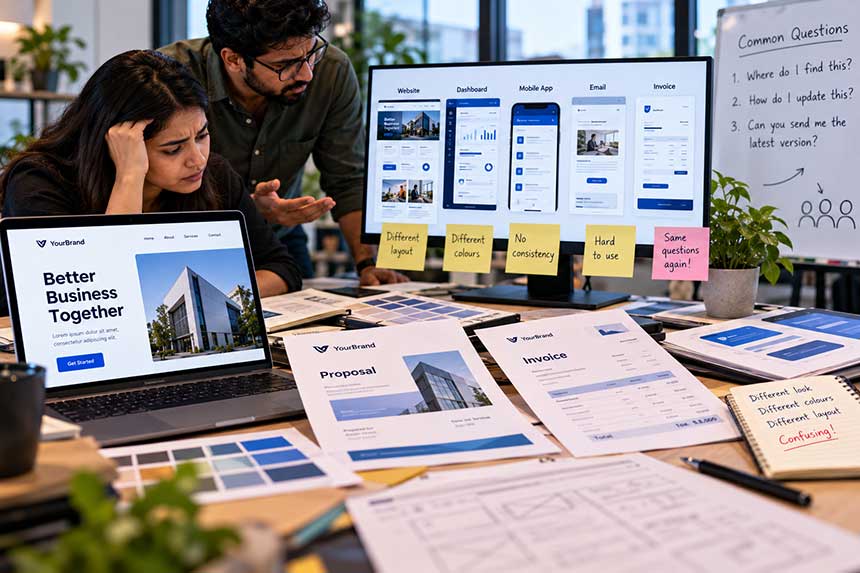
  • Each page looks a little different, because no design system was ever established.
  • The brand looks different on the website, the proposal and the invoice.
  • The design was approved as a presentation and proved difficult once it was built.

We prefer to design in the browser, with real content at real sizes. Static mock-ups can hide the small difficulties that appear the moment something is actually built. Good UI UX design services are not simply about making screens look attractive. They are about making the next step obvious.

See your homepage design before you pay A free homepage mockup, drawn for your business before any commitment
What we build

Our UI/UX and Graphic Design Services

Our UI UX design services cover the interface, experience and visual material around your digital product, from software and websites to brand assets and design systems.

Product & interface design

Dashboards, portals and apps designed so a new user needs no training.

Website design

Pages designed around what a visitor must understand and decide, in order.

Design systems

Components, spacing and type rules so future work stays consistent without a designer present.

Brand & graphics

Logos, collateral, presentations and print, the material around the product.

How it runs

Our Design Process

Our UI UX design process starts with understanding the job people need to complete. The visual layer comes after the structure makes sense.

01

Understand the job

Who uses this, what they are trying to finish, and what currently stops them.

02

Structure

Flow and hierarchy first, what comes before what, and what can be removed entirely.

03

Design

Real content, real data, real screen sizes. Reviewed in a browser, not as a picture.

04

Systemise

Turn the result into reusable components so the next page does not start from zero.

What you get

Design Deliverables

  • Designs handed over as working components, not flat images developers must interpret.
  • A system your future designers and developers can extend.
  • Accessible colour, typography and contrast considered from the start.
  • All source files, in your ownership.
  • Copy and layout considered together, because words are most of the interface.

Well suited to you if

  • People use your product to get work done
  • You need consistency across pages, apps and material
  • You are prepared to simplify, not just decorate

Perhaps not, if

  • You want a logo redraw and nothing else
  • The decision will be made purely on personal taste
  • Structure and copy are fixed and cannot change
In practice

Improving Software Usability

An internal platform was complete but new staff needed two training sessions before they could use it, and support kept answering the same questions.

What changed: We reordered the main flow and removed three screens entirely. Training dropped to a walkthrough, and those support questions stopped arriving.

Read the full case study
Internal system

A unified system for a workforce that outgrew spreadsheets

Time and attendance across teams had outgrown the spreadsheet holding it together.

Read the full case study

Shared anonymously at our client's request. Confidential client details are omitted.

Questions

Questions We Are Often Asked

If anything here is not covered, please contact us. We would rather explain it now than have you agree to something you are unsure about.

Check your business health ↗
Do you design without building?

Yes. Plenty of clients take our designs to their own developers, and we hand over everything needed to build them properly.

What tools do you work in?

Figma for design and handover, and the browser for anything that needs to be judged at real size on real devices.

Can you work with our existing brand?

Yes, and usually we should. A rebrand is a separate decision from fixing a website or a product. We can work within your existing identity where it already serves the business well.

How do you handle accessibility?

Contrast, keyboard use, focus states and readable text are considered from the start. It is cheaper than retrofitting and better for everyone.

Do you design for mobile as well?

Yes. Interfaces should work properly across the devices your customers or employees actually use. We consider responsive behaviour as part of the design rather than treating mobile as an afterthought.

What is the difference between UI and UX design?

UX focuses on how the experience works: the journey, structure, flow and ease of completing a task. UI focuses more on the interface itself: layout, typography, components, visual hierarchy and interaction states. Good product design brings both together.

Get started

Let Us Talk About What Your Business Needs.

Whether you have a new idea, a business challenge, or something you would like to improve, we are here to help. From building websites, online stores, CRM systems, and custom applications to exploring AI solutions, improving SEO, or growing your sales, simply tell us what you have in mind, and we will help you find the best way forward.

Check Your Business Health