How to Speed Up Your Shopify Store Without Paying for Expensive Apps
The standard advice given to slow Shopify stores is to install another app. There is a whole category of “speed optimisation” apps in the Shopify App Store, priced anywhere from $9 to $99 a month, all promising to make your store faster. Many of them do help a little. Almost none of them solve the underlying problem — which is, in most cases, that the store already has too many apps doing too much work, and adding one more is the opposite of the fix. The honest path to a faster Shopify store usually starts with removing things rather than buying things, and it costs almost nothing.
This guide is the practical version of Shopify speed optimisation, written from the inside. We have audited enough Shopify stores over the years to recognise the same patterns repeating — the same slow themes, the same heavy apps, the same misconfigured images, the same third-party scripts running on every page when they should run on none. The good news is that the fixes are mostly free, mostly straightforward, and rarely require a developer. If you want the broader context of how ongoing performance work fits into website upkeep, our complete website maintenance guide is the companion piece. This article focuses tightly on Shopify — what actually makes stores slow, and how to fix it without opening your wallet.
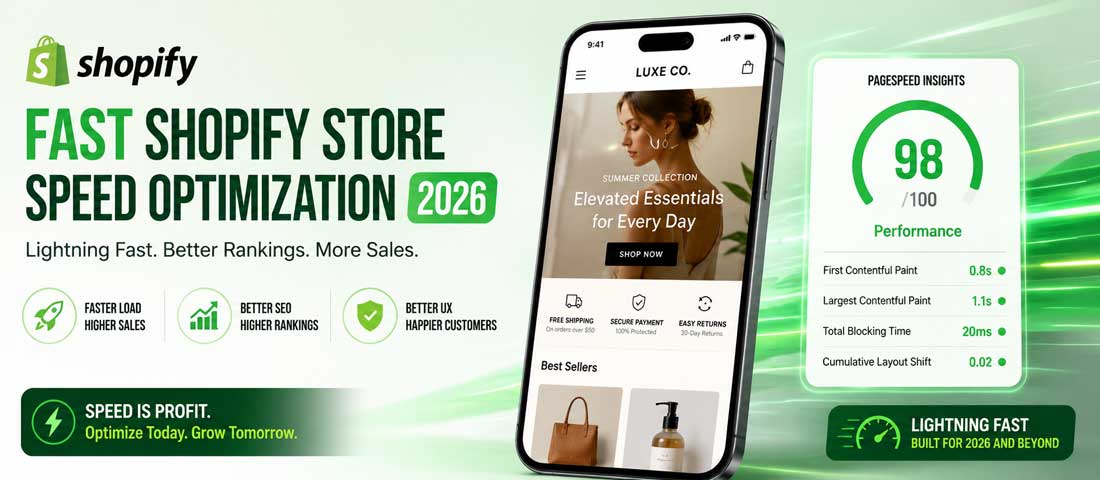
Why your Shopify store is slow: the four real causes
Before fixing anything, it is worth being clear about what actually makes Shopify stores slow. The hosting itself is rarely the problem — Shopify’s infrastructure is genuinely fast. The slowness almost always comes from things added on top of that infrastructure by the store owner, and it falls into four consistent categories. Understanding which of these is dominant in your store decides which fix matters most.
1. Too many apps, each adding code on every page
This is the single biggest cause of slow Shopify stores in our audits, and it is the one store owners most reliably underestimate. Every app installed on Shopify typically injects its own JavaScript, CSS and sometimes additional HTTP requests into every page on your store — including pages where the app does nothing useful. A store with twenty installed apps can easily be loading two megabytes of unnecessary code on every single page view, much of it for features the store does not actually use any more.
The compounding nature of this problem is what makes it dangerous. Each app installation feels harmless individually. Cumulatively, twenty installations produce a store that takes six seconds to load on mobile, where two seconds is the practical threshold for keeping bounce rates acceptable.
2. A heavy theme carrying features you do not need
Many Shopify themes — particularly the more expensive premium themes — are sold on feature density. They include sliders, mega menus, product zoom effects, parallax sections, animations, video backgrounds and a dozen other visual flourishes you may or may not actually use. Every one of those features ships as code that loads on your store whether you use the feature or not.
The contrast with Shopify’s own Dawn theme is instructive. Dawn was built with performance as a primary goal, ships almost no JavaScript out of the box, and consistently outperforms most paid themes in real-world speed tests. A premium theme is not always the wrong choice — but it is often slower out of the gate, and that slowness has to be earned back through optimisation work.
3. Unoptimised images doing far more work than they should
Images are the largest single component of most Shopify pages by file size, and the patterns of how merchants upload them produce stores that are unnecessarily slow even before any apps or themes are considered. A 4MB product photo uploaded straight from a camera, displayed at 600 pixels wide on the product page, is doing roughly twenty times more work than it needs to. Multiply that across fifty products on a collection page and the bandwidth and rendering cost is significant.
What makes this particularly fixable is that Shopify’s own image CDN already does most of the heavy lifting if it is used correctly. The infrastructure for fast images is built in. The mistake is in how the images are uploaded and referenced.
4. Third-party scripts loading on every page
Chat widgets. Review platforms. Analytics tools. Heatmap trackers. Email pop-up systems. Each one of these adds an external JavaScript file that has to be downloaded and parsed before the page is fully ready. Many of them load synchronously in the document head, meaning they block the page from rendering until they finish loading. A single slow third-party script can add a full second to your page load time, and most stores have five or more of them running simultaneously.
The Shopify Speed Score and what it actually means
Shopify provides every store with a Speed Score in the admin, and many store owners spend significant time worrying about it. The score is useful as a directional indicator but worth understanding properly. It is calculated based on a weighted Lighthouse audit run against three of your store’s most important page types — the homepage, a representative collection page and a representative product page — using a simulated mobile device.
The Speed Score is not the same as the metric Google actually uses for ranking. Google uses Core Web Vitals — Largest Contentful Paint, Interaction to Next Paint and Cumulative Layout Shift — measured from real users in the field, not from Shopify’s simulated test. The two correlate but they are not identical. A store can have a respectable Shopify Speed Score and still fail Core Web Vitals in the field, or vice versa. The honest practice is to watch both, and to treat Google’s field data as the more important number when they disagree.
The other limitation of Shopify’s score is that it tests only three pages. Your store may have hundreds of unique page templates — collection filters, blog posts, cart pages, checkout pages — that the score never measures. Optimising for the score alone can produce a store where the three tested pages are fast and the rest are slow. The right approach is to use the Speed Score as one input, supplement it with PageSpeed Insights testing on several different page types, and watch Core Web Vitals in Search Console for what real users are actually experiencing.
The five categories that genuinely cost Shopify speed
The table below summarises the five categories of speed cost in a typical Shopify store, with an honest assessment of how much each one tends to contribute and how expensive each one is to fix. Use this to identify where your store’s biggest speed problem actually lives, rather than guessing.
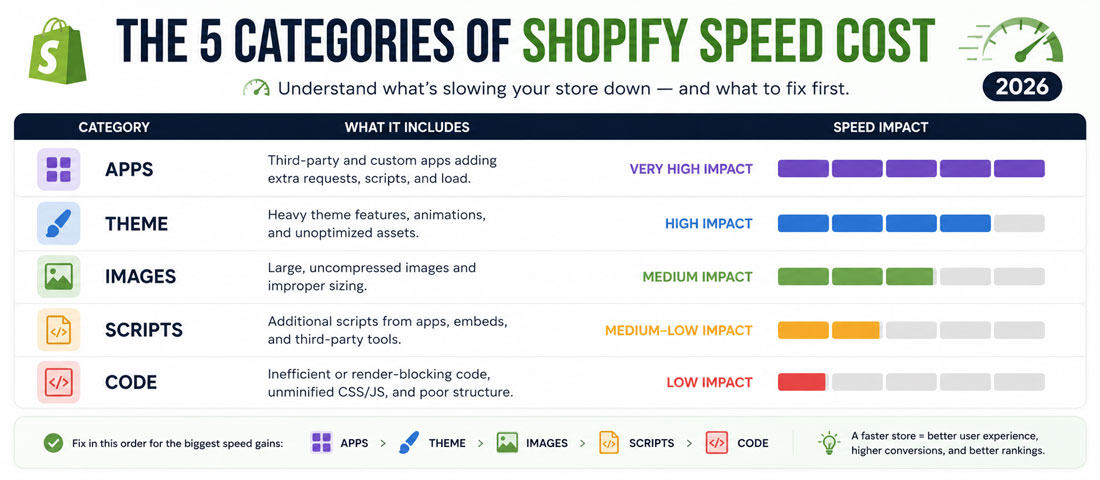
| Category | Typical impact on load time | Cost to fix | Difficulty |
|---|---|---|---|
| Installed apps | 1 – 3 seconds | Free (uninstall unused apps) | Easy — review and remove |
| Theme weight | 0.5 – 2 seconds | Free (switch to Dawn or lean theme) or one-time theme cost | Medium — may require some setup work |
| Unoptimised images | 1 – 3 seconds | Free (use Shopify image CDN correctly) | Easy — minimal technical knowledge needed |
| Third-party scripts | 0.5 – 2 seconds | Free (audit and defer) | Medium — requires reading theme code |
| Unoptimised Liquid and code | 0.2 – 1 second | Free (developer skill required) | Hard — needs a developer for non-trivial changes |
Notice that the three highest-impact categories — apps, images and theme — are also the easiest to fix and cost nothing in app fees. The pattern across the audits we have run is consistent: most Shopify stores can achieve substantial speed improvement through free changes to these three areas alone, often without ever touching the more technical work in the lower rows.
The eight-step Shopify speed optimisation checklist
The eight steps below are the practical work, in the order that produces the most return for the least effort. Work through them in sequence. Each step builds on the one before, and most stores will see meaningful improvement before reaching the harder work at the end.
-
Audit your installed apps and remove what you do not actively use
Open the Apps section of your Shopify admin and review every installed app. For each one, ask: does this app provide functionality the store is actively using right now, and does the value it delivers justify the speed cost of having it installed? Be ruthless. Apps installed during a campaign that ended six months ago, apps you tried once and never opened again, apps whose functionality has been built into Shopify natively since you installed them — all of these are pure speed cost with no benefit. Uninstalling them is the single highest-return action available to most stores. -
Measure the impact of each remaining app
For the apps you are keeping, get an honest read on what each one costs in performance. Use Shopify’s Web Performance Dashboard, GTmetrix, or PageSpeed Insights to measure your homepage before and after temporarily disabling individual apps. The results are often surprising — a single review platform or chat widget can be responsible for a significant share of your slowdown. Apps with disproportionate cost should either be replaced with lighter alternatives or, where possible, accepted as a trade-off with eyes open rather than by default. -
Evaluate your theme against a lean baseline
Run PageSpeed Insights on your current store, then install Shopify’s free Dawn theme as an experiment (in a duplicated theme — do not change your published theme), and run the same test. The gap between your current theme’s score and Dawn’s score is your theme’s speed tax. If the gap is large and your theme’s visual richness is not directly producing revenue, switching to Dawn or a lean alternative may be worth more than a year’s worth of app subscriptions. The base theme decision is one of the highest-leverage choices in Shopify performance, and our Shopify website design work is built around the discipline of starting from the lightest possible foundation. -
Optimise every image you upload
Before uploading any image to Shopify, resize it to the actual maximum display size it will appear at, compress it (free tools like TinyPNG, Squoosh, or ShortPixel work fine), and save in the right format — JPEG for photographs, PNG for graphics with transparency, WebP where supported. Shopify’s CDN will then serve optimised versions automatically. The mistake is uploading 4MB camera-original files and assuming the CDN will rescue them. It does some of the work but not all of it, and the upload size matters. -
Use Shopify’s built-in image_url filter properly
In your theme’s Liquid templates, every img tag should use the image_url filter with explicit width parameters that match the actual display size — for example, image_url: width: 600 for a thumbnail, image_url: width: 1200 for a hero. This tells Shopify’s CDN to serve a properly-sized version rather than the original. Combined with proper srcset attributes for responsive images, this often produces 30 to 50 percent faster image loading without any visible quality difference. -
Defer and async third-party scripts
Open your theme.liquid file and find every script tag that loads an external JavaScript file. Most of them should have the defer or async attribute, which tells the browser not to block page rendering while waiting for the script. Chat widgets, review platforms, analytics tools and tracking scripts are almost always safe to defer. Test after each change. The performance difference between blocking and deferred third-party scripts is often a full second or more on mobile. -
Enable lazy loading on images below the fold
Modern Shopify themes (including Dawn and any Online Store 2.0 theme) support native lazy loading via the loading=”lazy” attribute on img tags. This tells the browser to delay loading images until they are about to enter the viewport, dramatically improving initial page load. If your theme does not already do this, adding loading=”lazy” to all images below the fold is a small Liquid change with significant return. Combined with the image_url filter from step five, this is most of the image optimisation work that needs doing. -
Audit and tighten your theme’s CSS and JavaScript
For the more technical step, review your theme’s CSS and JS files for unused code. Many premium themes ship with code for every feature the theme supports, regardless of whether you use that feature. A developer who knows Liquid can identify and remove the unused sections, often shaving meaningful weight off the assets that load on every page. This step crosses into developer territory and is the right point to bring in professional help if you are running everything else yourself.
Want Help Auditing and Optimising your Shopify Store Properly?
If you would rather have an experienced team run the audit and apply the fixes — apps, theme, images, scripts and the more technical optimisation work — we are happy to help. Send us your Shopify URL and we will come back with an honest read on what is costing you speed and what would move the needle most.
The Shopify apps most often slowing stores down
It is worth being specific about which categories of apps most commonly produce the heaviest speed cost, because the patterns repeat across the stores we audit. None of these categories is inherently bad — many of the apps in them deliver real value — but they are the categories where the speed cost is most likely to outweigh the benefit, and where alternative approaches deserve consideration.
Review and ratings platforms. Apps like Yotpo, Judge.me and Loox display customer reviews on product and collection pages, and most of them inject substantial JavaScript and CSS on every page across the store, even pages without reviews. If you use a reviews app, check whether it can be configured to load only on product pages, and consider whether a lighter-weight alternative would deliver comparable benefit.
Live chat widgets. Chat tools like Tidio, Gorgias and Intercom add a persistent widget that loads on every page. Some of them are notoriously heavy, with their scripts contributing half a second or more to mobile load time. If chat is critical to your sales process, the cost may be justified. If it is rarely used, the cost rarely is.
Pop-up and lead-capture apps. Apps like Privy, OptinMonster and Justuno display promotional pop-ups, exit-intent overlays and email capture forms. They often inject scripts that run on every page even when the pop-up is not active. The conversion benefit can be real, but the speed cost should be measured rather than assumed away.
Upsell and cross-sell apps. Apps that show recommended products in the cart or on product pages frequently add substantial code to multiple page templates. Some integrate cleanly; others significantly slow the cart and checkout pages where speed matters most for conversion.
Advanced analytics and tracking. Beyond Shopify’s built-in analytics and a single instance of Google Analytics 4, every additional analytics tool — Lucky Orange, Hotjar, FullStory, Mixpanel — adds its own scripts. The marginal insight from the fifth tool is rarely worth its marginal speed cost. Pick the one or two that genuinely inform decisions and remove the rest.
Image optimisation: the free win most stores miss
Images are the single most fixable speed problem on most Shopify stores, and the work is overwhelmingly free. Shopify’s built-in image CDN handles delivery, format conversion and responsive serving automatically — but only if it is given the right starting material and used correctly in your theme.
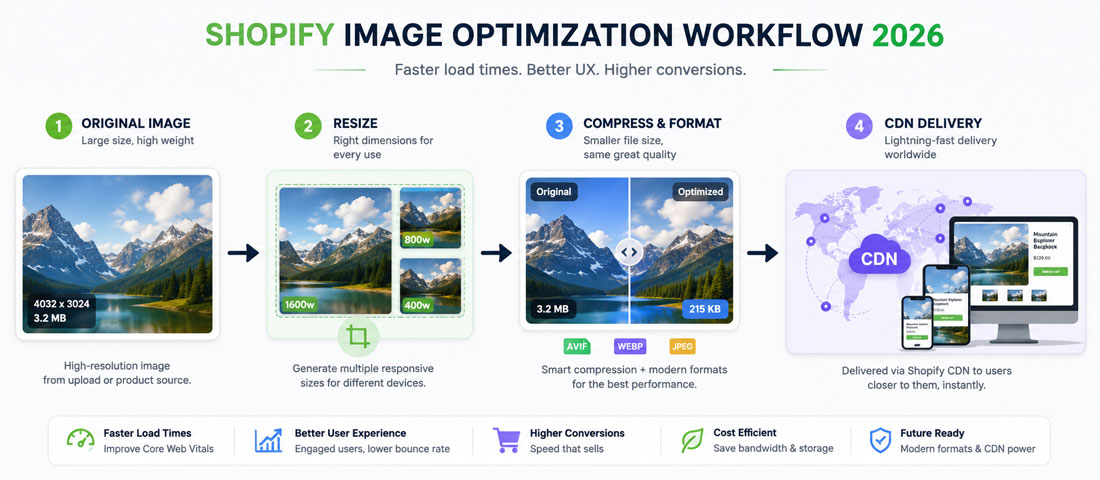
Start at the upload. Before uploading any image to Shopify, run it through a free compression tool — TinyPNG, Squoosh and ShortPixel all work well in a browser without any signup or payment. Compression typically reduces image size by 50 to 80 percent with no visible quality loss. Resize the image to no more than 2x the largest display size — a hero image that displays at 1200 pixels wide should be uploaded at no more than 2400 pixels. Uploading the camera-original 6000-pixel file is wasteful even when the CDN will serve a smaller version.
Once uploaded, the work moves into your theme. Open your theme.liquid and product templates and verify that every img tag uses Shopify’s image_url filter with a width parameter that matches the actual display size. This tells the CDN to serve a properly-sized variant rather than the original. Adding proper srcset attributes — different image versions for different screen sizes — lets the browser pick the smallest version that fits. Together, these changes can cut image bandwidth by half or more, and they require no apps and no recurring cost.
The format question matters too. WebP is now supported across every modern browser and is meaningfully smaller than equivalent JPEG or PNG. Shopify’s CDN serves WebP automatically to browsers that support it when you use the image_url filter — another good reason to use it consistently throughout your theme. For graphics with transparency that still need PNG, consider whether a properly-compressed PNG-8 (256 colours) would work; it is often a fraction of the size of PNG-24 with no visible difference for icons and logos.
Third-party script discipline
The third-party scripts loading on your store — analytics, marketing tools, social pixels, customer support widgets — are often the most overlooked source of speed cost. Each one downloads from an external server, parses, and competes for the browser’s attention with your actual store. Reducing the count and properly deferring what remains is one of the highest-return free optimisations available.
Start with an honest count. Open your store on a desktop browser, open the developer tools, and look at the Network tab while the page loads. Count the third-party domains making requests. Most slow Shopify stores have between ten and twenty, and at least half of them are inactive subscriptions, abandoned tools, or analytics platforms whose data nobody reviews. Each one that is removed is a free speed gain with no downside.
For the scripts you keep, the technical work is to load them properly. The defer attribute on a script tag tells the browser to download it without blocking page rendering and execute it after the page is built. The async attribute is similar but with no execution order guarantee. Almost all marketing scripts, analytics scripts and chat widgets can be safely deferred. The exception is scripts that have to run before the page is interactive — these are rare and usually documented as such by the tool provider.
Many third-party tools also offer a “delayed load” or “after interaction” mode, where the script does not load at all until the user has been on the page for a few seconds or has scrolled. For chat widgets and pop-ups especially, this can be the difference between a tool that costs the page nothing and a tool that costs a full second. Worth checking each tool’s documentation for these options.
When paying for an app is actually worth it
The honest position is not that no Shopify speed app is ever worth paying for. A few of them deliver real value for specific situations, and being dogmatically against any paid optimisation is just another form of misallocation. The criteria for evaluating whether a speed-related app is worth its monthly cost are reasonably clear.
An app is worth paying for when it does something genuinely difficult that would otherwise require developer time. Apps that intelligently lazy-load app blocks, that automatically convert and compress images at upload, or that handle bot-traffic optimisation reliably can deliver real value that would cost more in developer hours to achieve manually. The test is whether the app’s monthly cost is less than the time cost of doing the equivalent work yourself, calculated honestly.
An app is also worth paying for when it consolidates several other apps. If a single $30-per-month app can replace four $15-per-month apps that were each doing one thing, the monthly cost goes up but the total app load on the store goes down. The net effect on both speed and budget is usually positive, even though the headline price looks worse.
An app is not worth paying for when it duplicates functionality Shopify already provides natively, when its claimed performance benefit is not measurable on your specific store, or when the underlying problem it claims to solve would be solved more reliably by removing other apps instead. The Shopify App Store contains plenty of well-marketed apps in all three categories, and the discipline of testing the claimed benefit on your own store before subscribing is what separates a useful purchase from a wasteful one.
How to actually measure your store’s speed
You cannot optimise what you do not measure, and the measurement tools available for Shopify in 2026 are good enough that there is no excuse for guessing. The four worth knowing are all free.
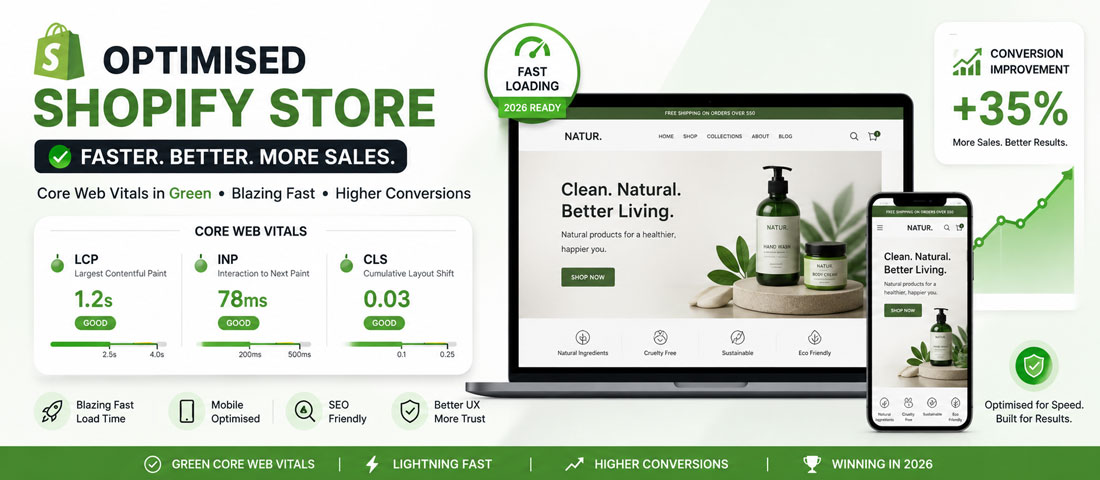
Google PageSpeed Insights is the foundation. Run it on your homepage, a collection page and a product page, both mobile and desktop. The metrics that matter are Largest Contentful Paint (target under 2.5 seconds), Interaction to Next Paint (target under 200 milliseconds), and Cumulative Layout Shift (target under 0.1). PageSpeed Insights gives both lab data (simulated) and field data (real users). The field data is the more important number — it is what Google uses for ranking.
Shopify’s Web Performance Dashboard (under Online Store → Performance in the admin) is useful for tracking trends over time. It tests your three most important page templates regularly and shows you whether your speed is getting better or worse week over week. The score itself is less important than the direction; a worsening trend is the signal to investigate.
GTmetrix provides detailed waterfall charts showing exactly which resources are loading and how long each takes. The waterfall view is invaluable for diagnosing third-party script problems — you can literally see which external script is blocking your page for how many milliseconds. Free tier is sufficient for most monitoring.
Google Search Console’s Core Web Vitals report shows real-world performance data from actual users visiting your store. This is what Google uses for ranking and what you should treat as the source of truth when the various lab tools disagree. The connection between performance and search visibility is direct, which is why our SEO services work integrates Core Web Vitals monitoring into every engagement rather than treating performance and SEO as separate disciplines.
The common Shopify speed mistakes to avoid
The patterns of failure across the Shopify stores we audit are consistent. None of these mistakes is exotic; all of them quietly cost stores their conversion rates and search rankings until they are recognised and corrected.
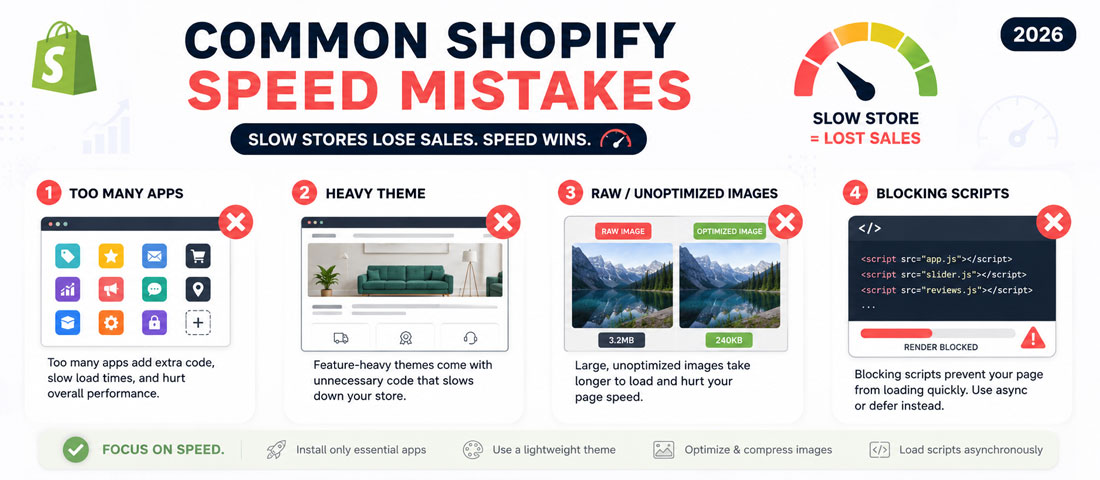
- Installing apps faster than uninstalling them. Every store accumulates app debt over time. Without a quarterly app review, the cost compounds invisibly until the store is unmanageably slow.
- Picking a premium theme on visual appeal alone. The richer the theme’s visual features, the higher the speed tax it carries. The richest theme is almost never the fastest.
- Uploading camera-original images. A 4MB photograph displayed at 600 pixels is wasting bandwidth at every page view. Compress and resize before upload, every time.
- Loading third-party scripts synchronously. The default behaviour of most external scripts is to block page rendering. Adding defer or async on every non-critical script is a free win on mobile.
- Trusting only Shopify’s Speed Score. The score tests three pages. Your store has more, and real users experience all of them. PageSpeed Insights and Core Web Vitals are the broader picture.
- Buying a speed app without measuring first. Many speed apps claim improvement they cannot demonstrate on your specific store. Measure the actual benefit before subscribing.
- Ignoring mobile performance. Most Shopify traffic is mobile, and mobile is where speed problems hurt conversion most. Optimising only for desktop is missing where the money is.
- Treating optimisation as one-off. Stores accumulate weight continuously — new apps, new content, new scripts. Without ongoing monitoring, today’s fast store is next quarter’s slow store.
- Optimising for Lighthouse instead of users. The metrics matter because they predict user experience, not as an end in themselves. A score-perfect store that frustrates real users has missed the point.
- Skipping the apps audit entirely. The single highest-return action available to most stores is the one most often skipped. Start there.
What you can realistically achieve without spending anything
It is worth being honest about realistic expectations. The free optimisation work covered in this guide will not turn every Shopify store into a sub-1-second-load powerhouse. What it will do is meaningful, consistent and worth the work.
For a typical Shopify store that has accumulated some app debt and never had its images properly optimised — which describes most stores after a year of normal operation — the achievable improvement from the free fixes is in the range of 30 to 50 percent faster load times. That translates roughly into a Lighthouse Performance score moving from the 30s to the 60s, a Largest Contentful Paint moving from 4 to 5 seconds down to 2 to 2.5 seconds, and a measurable improvement in Core Web Vitals as recorded in Search Console over the following four to six weeks as Google’s data catches up.
For a store that started with a lean theme, has been disciplined about apps, and just needs an image and script tune-up, the achievable improvement is smaller in absolute terms but still meaningful — often 15 to 25 percent. For a store that is severely overloaded with apps, on a heavy theme, with no image discipline, the achievable improvement can exceed 50 percent and occasionally reach 70 percent. The exact number depends on the starting point, but the direction of travel is consistent across every store we audit: free optimisation works, and works more than most owners expect.
Beyond the headline speed numbers, the conversion impact is usually larger than the percentage suggests. Industry-wide studies have consistently shown that every 100 milliseconds of mobile load improvement produces a measurable conversion lift, and the relationship is most pronounced in the 2-to-4-second range where most slow Shopify stores live. A store moving from 4 seconds to 2.5 seconds on mobile typically sees conversion rate improvements of 5 to 15 percent on the same traffic. The revenue effect of free optimisation is, for most stores, larger than any individual app subscription could ever justify.
When to bring in professional help
This guide is written so a capable store owner can implement most of the work themselves, and for many stores that is the right approach. The audit is free, the app reviews are free, the image optimisation requires only common compression tools, and the theme-level changes are well within reach for anyone comfortable editing a few lines of Liquid.
There are situations where professional help is worth the cost. If your store is on a heavily customised theme where standard guidance does not apply cleanly, experience matters in navigating the customisations safely. If you have already tried the obvious fixes and the store is still slow, the diagnostic work to find what remains is faster with someone who has done it many times. And if you do not have the time to maintain optimisation as an ongoing discipline — which it has to be, because new apps and new content add weight continuously — an outsourced website care arrangement is more reliable than a DIY system that quietly stops being maintained. The broader picture of platform choice and ongoing care also benefits from being thought about together, which is what our eCommerce platform selection guide addresses for businesses still weighing where their store should live in the longer term.
For ongoing performance work as part of a structured care plan, our website maintenance services include regular Shopify speed audits, app review, image optimisation passes and Core Web Vitals monitoring as standard. Whether the work is done internally or brought under managed care, the important thing is that it happens — and that it continues to happen, because the alternative is a store that quietly slows down quarter by quarter until the cost of catching up exceeds the cost of having maintained pace.
Frequently asked questions
| Why is my Shopify store so slow? | Most slow Shopify stores share four causes — too many installed apps each injecting code on every page, a heavy premium theme carrying features the store does not actually use, unoptimised images uploaded at camera-original sizes, and third-party scripts (chat, reviews, analytics) loading synchronously. The hosting itself is rarely the problem; Shopify’s infrastructure is fast. The slowness almost always comes from things added on top of it. Auditing each of those four areas, in that order, identifies where your specific store is losing time and what to fix first. Most stores can improve substantially by fixing the first three without spending anything. |
| Do speed optimisation apps actually work on Shopify? | Some speed apps deliver real value; many do not. The honest answer depends on the specific app and the specific store. Apps that intelligently lazy-load other apps, automatically compress images at upload, or consolidate several apps’ functionality into one can be worth their cost. Apps that promise generic “speed boost” without explaining what they actually do, or that duplicate functionality Shopify already provides natively, usually are not. The test is whether the app produces a measurable improvement on your specific store that the free optimisation work would not have produced anyway. Measure before subscribing — most stores find the answer is no. |
| What is a good Shopify speed score? | Shopify’s own Speed Score scales from 0 to 100, with anything above 50 considered good and above 70 considered excellent. The honest answer is that the score is directional rather than absolute. More important than the score itself are Google’s Core Web Vitals as measured from real users — Largest Contentful Paint under 2.5 seconds, Interaction to Next Paint under 200 milliseconds, and Cumulative Layout Shift under 0.1. A store can have a good Shopify Speed Score and still fail Core Web Vitals, or vice versa. Watch both, but treat Core Web Vitals as the more important measure since it is what affects rankings. |
| Will switching to the Dawn theme make my Shopify store faster? | In most cases yes, and often by a meaningful margin. Dawn was built by Shopify with performance as a primary goal, ships almost no JavaScript out of the box, and consistently outperforms most paid premium themes in speed tests. If you are currently on a heavy premium theme and you can replicate the functionality you actually use within Dawn or a similarly lean theme, the switch typically improves your Lighthouse score significantly and your Core Web Vitals more modestly. The trade-off is the time and design work needed to rebuild your store in the new theme. For stores where speed is a real problem, the trade-off usually favours the switch. |
| How do I check which Shopify apps are slowing my store? | Test your store’s performance, then temporarily disable individual apps one at a time and retest. The before-and-after comparison shows the speed cost of each app honestly. Use a free tool like Google PageSpeed Insights or GTmetrix to measure your homepage, collection page and product page, recording Largest Contentful Paint and overall Performance score. Disable one app, clear caches, retest. Repeat for each app you suspect. Apps with disproportionate impact — often review platforms, chat widgets and analytics tools — become visible quickly. The exercise takes an hour or two and produces a clear picture of which apps to keep and which to remove. |
| Do I need a developer to speed up my Shopify store? | For most of the free optimisation work, no. App audits, image compression, theme switching, lazy loading and basic script deferring can all be done by a capable store owner with a few hours of focused time. A developer becomes useful for the more technical work — removing unused CSS and JavaScript from a customised theme, optimising Liquid templates for fewer database queries, debugging specific app conflicts. The realistic split is that 70 to 80 percent of the achievable improvement is accessible to a store owner working alone, and the remaining 20 to 30 percent benefits from professional help. Most stores never need to reach the developer-required tier because the free work delivers most of what they want. |
| How long does it take to see results after speeding up a Shopify store? | The lab metrics — PageSpeed Insights and Shopify’s Speed Score — update immediately after each change. You can see the impact of removing an app or optimising images within minutes of retesting. The real-user metrics that Google uses for ranking — Core Web Vitals in Search Console — take longer to update, typically 28 days of rolling data. Search ranking impact, if any, usually takes another month or two beyond that to fully materialise. Conversion impact often shows up in analytics within the first week of changes, because real visitors experience the faster store immediately. The honest summary is that you see lab improvement instantly, conversion improvement within days to weeks, and the full ranking benefit within two to three months. |
Want your Shopify Store Properly Optimised and Kept that Way?
We run Shopify speed audits and ongoing optimisation as part of our website care programmes — app reviews, theme assessment, image optimisation, script discipline and Core Web Vitals monitoring. With 12+ years of experience and over 2,500 websites delivered, we know what actually moves the needle on Shopify. Send us your store URL and we will respond within one business day.