WordPress vs Every CMS in 2026: Google Sites, HubSpot, Drupal & More Compared
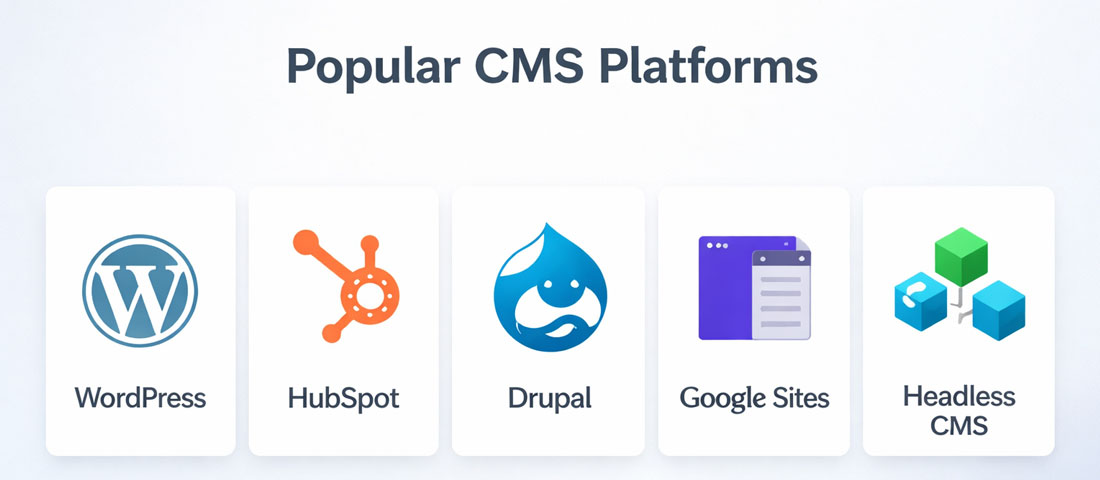
Choosing a Content Management System is one of the most consequential technology decisions a business makes. It determines how your website is built, how your team manages content, what integrations are possible, how much you pay over time, and how much flexibility you have as your requirements evolve. Get it right and your CMS becomes an invisible foundation that simply works. Get it wrong and you spend years fighting against your own platform.
What this guide covers
- 1. What Is a CMS — And Why Does the Choice Matter?
- 2. WordPress.com vs WordPress.org — The Essential Distinction
- 3. WordPress vs Google Sites
- 4. WordPress vs HubSpot CMS
- 5. WordPress vs Drupal
- 6. WordPress with Headless CMS — When Decoupled Architecture Makes Sense
- 7. The CMS Decision Framework: Which Platform Is Right for You?
- 8. Frequently Asked Questions About CMS Platforms
In 2026, the CMS landscape is more varied than ever — and more polarised. WordPress continues to power over 43% of all websites. But HubSpot’s CMS has matured into a serious contender for marketing-led organisations. Headless CMS architectures are growing in adoption among technically sophisticated teams. Drupal remains the platform of choice for complex, enterprise-scale content requirements. And Google Sites occupies a specific niche for internal, Google Workspace-integrated use cases.
This guide gives you the complete comparison — what each platform does well, where it falls short, and which business contexts it is genuinely the right choice for.
What Is a CMS — And Why Does the Choice Matter?
A Content Management System (CMS) is the software that allows you to create, manage, and publish website content without needing to write code for every change. Instead of editing HTML files directly, a CMS provides an interface — a dashboard, a visual editor, a page builder — through which your team can add blog posts, update service descriptions, change images, and manage the website’s content independently of the underlying code.
The CMS choice matters because it shapes everything downstream: how much technical expertise your team needs for day-to-day content management, what integrations are possible with your other business tools, how well the resulting website performs in search, how secure the platform is, and how much flexibility you have to grow and adapt the website as your business evolves. Migrating from one CMS to another is expensive and disruptive — getting the choice right from the start is significantly better than switching later.
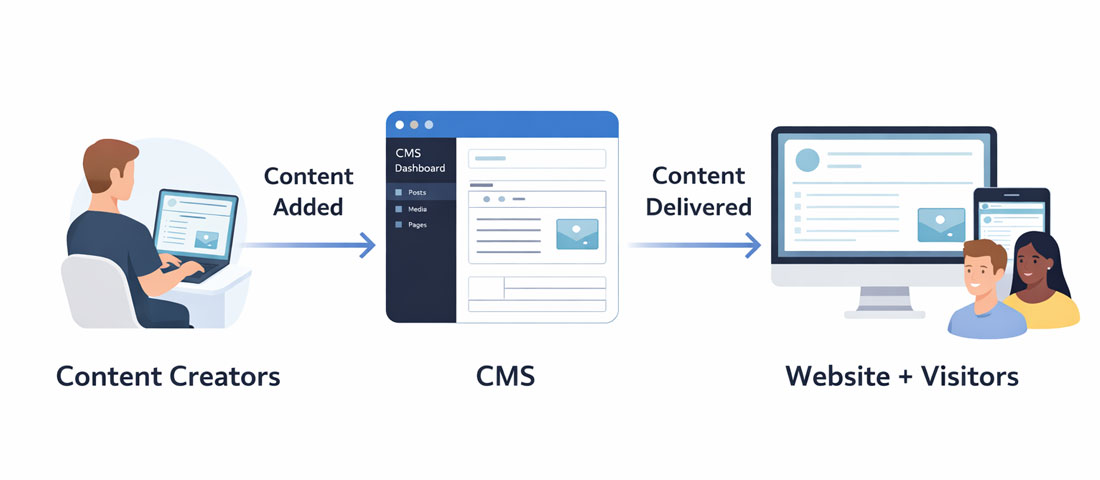
A CMS sits between your content team and your website visitors — allowing non-technical users to manage content while the platform handles the technical delivery.
WordPress.com vs WordPress.org — The Essential Distinction
Before comparing WordPress to other platforms, it is worth resolving a confusion that affects many businesses: WordPress.com and WordPress.org are two entirely different products that share a name and a codebase origin.
WordPress.org is the open-source WordPress software — the platform that powers 43%+ of the web. It is free to download and self-host on any web server. When agencies and developers refer to “WordPress,” they almost always mean WordPress.org. It gives you complete control over your website — every line of code, every plugin, every theme, every configuration — hosted wherever you choose.
WordPress.com is a hosting service run by Automattic that uses WordPress software but applies significant restrictions in its lower-tier plans: limited plugin installation, restricted theme customisation, mandatory WordPress.com branding on free and low-tier plans, and limited monetisation options. The higher-tier Business plan ($25/month) removes most of these restrictions, but at that price point, self-hosted WordPress.org on quality hosting is typically better value and more flexible.
For any business building a professional website, WordPress.org is almost always the correct choice. WordPress.com is appropriate for personal blogs and very simple content sites where hosting management is genuinely burdensome.
WordPress vs Google Sites
Google Sites is a simple website builder integrated into Google Workspace. It allows anyone with a Google account to create basic multi-page websites with no technical knowledge, using a drag-and-drop interface and automatic hosting on Google’s infrastructure.
Where Google Sites Excels
- Internal company intranets and knowledge bases within Google Workspace organisations
- Simple project pages or event sites for internal audiences
- Rapid creation of basic informational pages when permanence and performance are not priorities
- Completely free, requires no hosting management, and integrates natively with Google Drive and other Google Workspace tools
Where Google Sites Falls Short for Business Use
- Extremely limited design capability. Google Sites templates are basic and offer very limited customisation — it is genuinely difficult to create a visually distinctive or professional-looking external business website.
- No SEO control. Google Sites provides almost no control over meta data, URL structures, schema markup, or other technical SEO elements. As an SEO platform for a public business website, it is effectively unusable for competitive markets.
- No plugin ecosystem. Everything Google Sites does is built-in. There is no way to add a contact form beyond Google Forms embedding, no way to add a chatbot, no CRM integration, no eCommerce capability.
- Sites URLs are ugly by default. Without custom domain setup (which requires Google Workspace), Google Sites URLs look like sites.google.com/view/yoursitename — not appropriate for a professional business presence.
The verdict: Google Sites is a fine tool for internal Google Workspace use cases. It is not an appropriate platform for any business that needs a professional external website, competitive SEO, or meaningful customisation.
WordPress vs HubSpot CMS
HubSpot CMS (now called HubSpot Content Hub in some packaging) is a hosted CMS built into the HubSpot marketing and CRM platform. It positions itself as the natural choice for businesses that use HubSpot for CRM, marketing automation, and sales tools — providing a tightly integrated content-to-conversion pipeline.
Where HubSpot CMS Excels
- Native HubSpot integration. For businesses already using HubSpot CRM and Marketing Hub, the native integration between website content and HubSpot’s marketing tools (lead scoring, smart content personalisation, contact tracking, automated workflows) is genuinely powerful and eliminates the friction of third-party integrations.
- Built-in personalisation. HubSpot CMS allows “Smart Content” — showing different content to different visitor segments based on their CRM profile, lifecycle stage, or previous interactions. This is a sophisticated feature that WordPress requires additional plugins and configuration to replicate.
- Managed hosting and security. HubSpot handles all hosting, security, CDN, and SSL — there is no server management, no update management, and no plugin vulnerability concern. For organisations that want to eliminate technical overhead entirely, this is appealing.
Where HubSpot CMS Falls Short
- Cost. HubSpot CMS starts at $25/month for the Starter tier, but meaningful features (Smart Content, SEO recommendations, A/B testing, advanced analytics) require the Professional tier at $450/month or Enterprise at $1,500/month. For businesses without a strong existing HubSpot investment, this is a significant ongoing cost.
- Plugin ecosystem limitations. HubSpot’s module and theme marketplace is a fraction of WordPress’s 60,000+ plugin ecosystem. Custom functionality that is straightforward in WordPress can be complex or impossible in HubSpot CMS.
- Vendor lock-in. Content in HubSpot CMS is stored in HubSpot’s proprietary system. Migrating away is significantly more complex than migrating a WordPress site.
- Design constraints. HubSpot’s theme system is less flexible than WordPress for highly custom designs.
The verdict: HubSpot CMS is the right choice primarily for businesses that are already deeply invested in the HubSpot ecosystem (CRM, Marketing Hub, Sales Hub) and where the native integration value justifies the significant cost. For businesses without an existing HubSpot investment, WordPress is almost always the better choice.
WordPress vs Drupal
Drupal is an open-source CMS that, like WordPress, can be self-hosted and extended with modules (Drupal’s equivalent of WordPress plugins). It is known for its flexibility, security, and ability to handle complex, large-scale content architectures — and for being significantly more technically demanding than WordPress to implement and maintain.
Where Drupal Excels
- Complex content architectures. Drupal’s content modelling capabilities — the ability to define custom content types with specific fields, relationships, and display modes — are more granular and powerful than WordPress’s out-of-the-box. For large organisations managing hundreds of content types with complex relationships, Drupal’s architecture is more appropriate.
- Enterprise-grade security. Drupal has a dedicated security team, a structured security advisory process, and a track record of being the choice for governments, universities, and large enterprises with stringent security requirements. The White House website, NASA, and many national government websites run on Drupal.
- Multi-site and multilingual capabilities. Drupal’s built-in multi-site and multilingual features are more robust than WordPress equivalents for large-scale deployments.
Where Drupal Falls Short
- Significantly higher technical barrier. Drupal requires developer expertise to implement, configure, and maintain. There is no “install Drupal and get a website in a day” experience comparable to WordPress. Content editing is also less intuitive for non-technical users.
- Smaller ecosystem and community. Drupal has approximately 45,000 contributed modules compared to WordPress’s 60,000+ plugins. The community, tutorial resources, and available talent pool are all smaller.
- Higher development and maintenance cost. Drupal projects typically cost significantly more to build and maintain than equivalent WordPress projects, due to the technical expertise required.
The verdict: Drupal is the right choice for large organisations with complex content architectures, significant security requirements, and the budget and technical capability to support it. For small to medium businesses, the additional cost and complexity of Drupal rarely delivers sufficient additional value compared to a well-built WordPress site.
WordPress with Headless CMS — When Decoupled Architecture Makes Sense
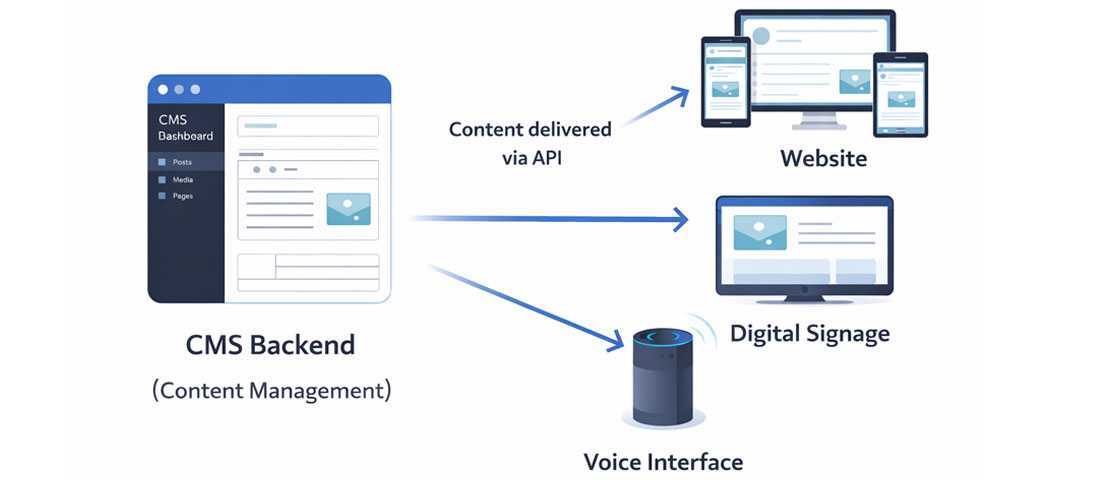
Headless CMS architecture separates content management from content delivery — allowing the same content to be published simultaneously to websites, mobile apps, and any other digital channel through a single API.
A headless CMS separates the content management layer (the “body”) from the presentation layer (the “head” — the website or app that displays the content). In a traditional CMS like WordPress, the content and the presentation are tightly coupled — WordPress manages the content and also renders the HTML that visitors see. In a headless architecture, the CMS manages and stores content, but delivers it via an API to a separate frontend application that handles all rendering and display.
WordPress as a Headless CMS
WordPress can function effectively as a headless CMS through its REST API and the WPGraphQL plugin, allowing WordPress to manage content while a separate React, Next.js, or other modern JavaScript frontend handles the display layer. This combination — sometimes called “headless WordPress” — gives you WordPress’s familiar content management interface and plugin ecosystem on the backend, combined with the performance and flexibility advantages of a modern JavaScript frontend.
Dedicated Headless CMS Platforms
Alternatively, purpose-built headless CMS platforms like Contentful, Sanity, Strapi, and Prismic provide content management interfaces specifically designed for API-first content delivery. These platforms have no rendering layer at all — they are purely content management and delivery systems.
When Headless Architecture Makes Sense
- You need the same content published simultaneously to a website, a mobile app, a voice interface, and digital signage — headless allows one content source for all channels
- Your frontend developers want to use modern JavaScript frameworks (Next.js, Nuxt, Astro) that provide performance and developer experience advantages over traditional CMS rendering
- Your performance requirements are extremely demanding and traditional CMS rendering creates bottlenecks you cannot overcome
- Your content team needs a sophisticated, flexible content modelling system that goes beyond what traditional WordPress handles well
When Headless Architecture Is Overkill
- For the vast majority of business websites — informational sites, service businesses, professional practices, small eCommerce — traditional WordPress provides all the performance and flexibility needed at a fraction of the development cost
- When your team does not have JavaScript framework expertise to build and maintain the frontend
- When content editors need a truly simple, intuitive management interface — headless frontends can be less polished for content management than native WordPress
The CMS Decision Framework: Which Platform Is Right for You?
| Factor | WordPress.org | HubSpot CMS | Drupal | Headless | Google Sites |
|---|---|---|---|---|---|
| Ease of use | ✅ Good | ✅ Good | ⚠️ Technical | ❌ Requires developers | ✅ Very easy |
| SEO capability | ✅ Excellent | ✅ Good | ✅ Good | ✅ Excellent | ❌ Very limited |
| Plugin ecosystem | ✅ 60,000+ plugins | ⚠️ Limited | ⚠️ 45,000 modules | ✅ NPM ecosystem | ❌ None |
| Cost (monthly) | ✅ Low (hosting only) | ❌ High ($450+) | ⚠️ Medium–High | ⚠️ Medium–High | ✅ Free |
| Design freedom | ✅ Complete | ⚠️ Good | ✅ Complete | ✅ Complete | ❌ Very limited |
| Performance ceiling | ✅ High | ✅ High | ✅ High | ✅ Highest | ⚠️ Medium |
| Best for | Most business websites | HubSpot-invested orgs | Large enterprises | Multi-channel, dev-heavy | Internal Google use |
The straightforward recommendation for most businesses: WordPress.org on quality managed hosting is the right CMS for the overwhelming majority of small to medium business websites in 2026. It provides the best combination of ease of use, design freedom, SEO capability, plugin ecosystem, community support, and cost-efficiency available in any CMS platform. The cases for alternatives are real but specific — HubSpot for deep HubSpot ecosystem users, Drupal for large enterprise content complexity, headless for multi-channel technically sophisticated teams, Google Sites for internal Google Workspace intranets.
Frequently Asked Questions About CMS Platforms
| What is the best CMS for a business website in 2026? | WordPress.org (self-hosted WordPress) is the best CMS for the majority of business websites in 2026. It powers over 43% of the web because it provides the strongest combination of ease of use for content teams, design freedom for developers, SEO capability for marketing teams, plugin ecosystem for functionality, and cost-efficiency for businesses. It is not the right choice for every specific use case — HubSpot CMS is better for deeply HubSpot-invested organisations, Drupal is better for large enterprise content complexity, and headless architectures are better for technically sophisticated multi-channel requirements. But for most small to medium business websites, WordPress.org on quality hosting is the clear recommendation. |
| What is the difference between WordPress.com and WordPress.org? | WordPress.com is a hosting service that uses WordPress software but applies restrictions in its lower-tier plans — limited plugin installation, restricted customisation, and mandatory WordPress.com branding. WordPress.org is the open-source WordPress software itself — free to download and self-host on any web server, with complete control over every aspect of the site. For any business building a professional website, WordPress.org (self-hosted) is almost always the correct choice. WordPress.com’s higher-tier plans remove most restrictions but at a cost that makes self-hosted WordPress.org on quality hosting better value. |
| Is HubSpot CMS worth the cost compared to WordPress? | HubSpot CMS is worth its significant cost premium only for businesses that are already deeply invested in the HubSpot ecosystem — using HubSpot CRM, Marketing Hub, and Sales Hub — where the native integration between website content and HubSpot’s marketing tools delivers genuine, measurable value. HubSpot’s Smart Content personalisation, contact tracking, and automated workflow integration with website content are capabilities that WordPress replicates only through complex third-party integrations. For businesses without an existing HubSpot investment, the Professional tier cost ($450/month) is rarely justified when equivalent results can be achieved with WordPress plus HubSpot’s free or Starter CRM tier. |
| What is a headless CMS and should my business use one? | A headless CMS manages and stores content but delivers it via API to a separate frontend application — rather than being responsible for rendering the HTML that visitors see. This architecture enables publishing the same content to a website, mobile app, voice interface, and digital signage simultaneously from one source. For most small to medium business websites, headless architecture adds significant development complexity and cost without delivering sufficient additional value. It is the right choice when you have multiple digital channels that need the same content, when your development team has JavaScript framework expertise, or when your performance and flexibility requirements exceed what traditional CMS rendering can deliver. |
| Is WordPress secure enough for a business website? | Yes — a properly configured and maintained WordPress website is secure enough for business use, including for businesses handling sensitive customer data. WordPress’s security reputation suffers from the large number of poorly maintained WordPress sites that get hacked — not from inherent platform vulnerabilities. The key practices that ensure WordPress security are: keeping core, plugins, and themes updated promptly; using strong, unique passwords and two-factor authentication; installing a security plugin with WAF capability; hosting on a reputable managed WordPress host; and implementing regular automated backups. A WordPress website following these practices is a secure platform. See our complete WordPress Security Guide for the full checklist. |
| Can WordPress handle large, complex websites? | Yes — WordPress scales to very large, complex websites when properly architected and hosted. The platform powers some of the highest-traffic websites in the world, including major news organisations and large eCommerce stores. The keys to scaling WordPress effectively are: quality managed hosting (not cheap shared hosting) that can handle the traffic load; a well-configured caching layer that serves static content efficiently; a CDN for global performance; a carefully curated plugin set that does not add unnecessary overhead; and a database optimisation strategy that maintains query performance as content volume grows. WordPress’s limitations at scale are almost always implementation and hosting limitations rather than inherent platform limitations. |
Need help choosing the right CMS platform for your business?
Neel Networks has built on WordPress, HubSpot, Drupal, and headless architectures for clients across the USA, UK, Canada, and Australia. We will help you identify the right platform for your specific requirements and budget.