Top WordPress Plugins of 2026: Performance, Security, SEO & Analytics
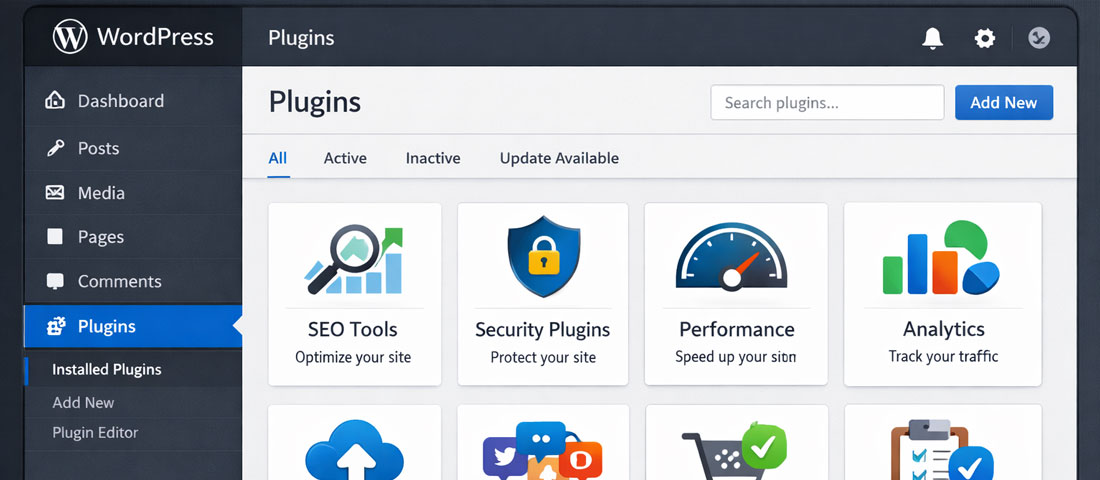
With over 60,000 plugins in the WordPress repository, choosing the right ones for your website is simultaneously the most powerful customisation option WordPress offers and one of the most consequential decisions you make. The right plugin stack makes your website faster, more secure, better ranked, and more insightful. The wrong one — or too many of them — adds page weight, creates security vulnerabilities, causes compatibility conflicts, and degrades the experience you are trying to deliver.
What this guide covers
- 1. Performance Plugins: Speed, Caching & Core Web Vitals
- 2. Security Plugins: Protection, Monitoring & Firewalls
- 3. SEO Plugins: On-Page Optimisation and Schema Markup
- 4. Analytics Plugins: Understanding Your Traffic and Behaviour
- 5. Chatbot and Conversion Plugins: Lead Capture and Engagement
- 6. Migration Plugins: Moving WordPress Sites Safely
- 7. Link Management Plugins: Keeping Your WordPress Links Clean
- 8. Database Optimisation Plugins: Keeping WordPress Fast and Clean
- 9. The Recommended WordPress Plugin Stack for 2026
- 10. Frequently Asked Questions About WordPress Plugins
This guide consolidates our recommendations across every major plugin category — Performance, Security, SEO, Analytics, Chatbot and Conversion, Migration, Link Management, and Database Optimisation — into a single definitive resource. For every category, we explain what the plugin does, why it matters, and which specific plugins deliver the best results for business WordPress sites in 2026.
Important principle before we begin: The best WordPress plugin stack is the smallest one that accomplishes everything you need. Every active plugin adds database queries, JavaScript, and CSS to your website. The goal is not to install every recommended plugin — it is to select the most effective tools for each category, ensure they do not overlap in functionality, and disable and delete anything you do not actively use. Quality over quantity, always.
Performance Plugins: Speed, Caching & Core Web Vitals
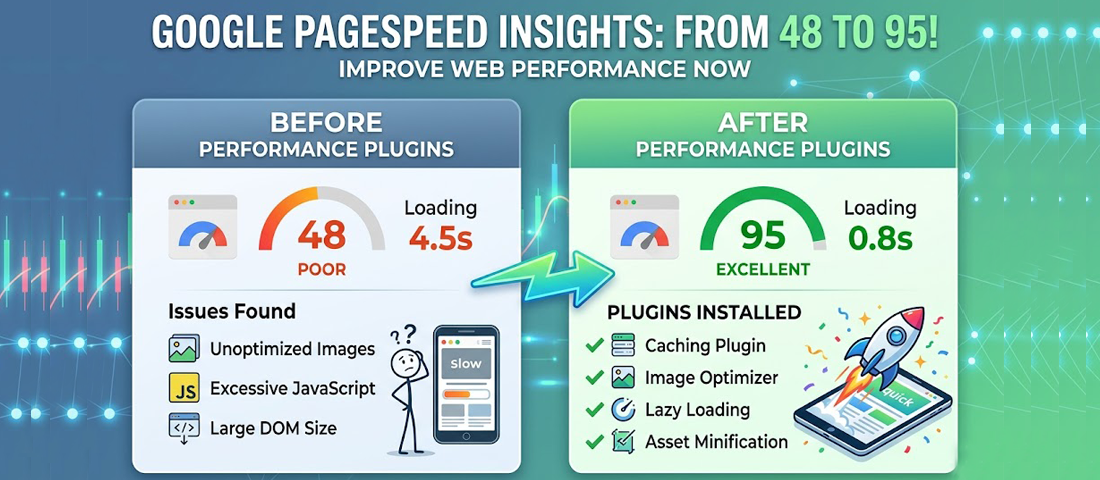
The right performance plugin stack can move a WordPress website from failing Core Web Vitals to the “Good” range — with measurable improvements to both search rankings and conversion rates.
WP Rocket — The Premium All-in-One Performance Plugin
What it does: WP Rocket is the most comprehensive all-in-one WordPress performance plugin available. It handles page caching, browser caching, CSS and JavaScript minification and deferral, lazy loading for images and videos, database optimisation, and CDN integration in a single, well-designed plugin with clear configuration options.
Why it matters: Rather than installing separate plugins for caching, minification, and lazy loading — and managing potential conflicts between them — WP Rocket handles all of these in a coordinated way. Its preload feature warms the cache automatically, ensuring first-time visitors receive cached pages. Its Core Web Vitals optimisation features directly address LCP and CLS issues.
Best for: Any business WordPress site that is not on LiteSpeed hosting. One of the most reliable performance improvements available for WordPress.
Cost: $59/year for 1 site; $119/year for 3 sites; $299/year for unlimited sites.
LiteSpeed Cache — The Best Free Option for LiteSpeed Hosting
What it does: LiteSpeed Cache is a free caching plugin that integrates at the server level with LiteSpeed web servers — used by many quality shared hosting and managed WordPress hosts. It provides page caching, image optimisation, CSS/JS optimisation, and a CDN integration called QUIC.cloud.
Why it matters: Server-level caching is more efficient than PHP-level caching — meaning LiteSpeed Cache can deliver faster results on compatible servers than PHP-based caching plugins. On LiteSpeed hosting, it is the most effective performance plugin available, and it is completely free.
Best for: WordPress sites hosted on LiteSpeed servers (check with your host). Not compatible with Apache or Nginx servers where WP Rocket or W3 Total Cache are the alternatives.
ShortPixel — Image Optimisation and WebP Conversion
What it does: ShortPixel automatically compresses and optimises images on upload and can bulk-optimise your existing image library. It converts images to WebP format, serves the correct format based on browser support, and provides three compression levels (lossless, lossy, glossy) to balance file size reduction against quality.
Why it matters: Images are typically the largest contributor to page weight on unoptimised WordPress websites. ShortPixel reduces image file sizes by 20 to 50% while maintaining acceptable visual quality — directly improving LCP scores and overall page load times.
Cost: Free for 100 images/month; paid plans from $4.99/month for 5,000 images/month.
Choosing the Right WordPress Theme for Core Web Vitals
Plugin selection alone cannot fix Core Web Vitals problems caused by a bloated, heavy theme. The theme is the foundation of a WordPress website’s performance — and choosing a performance-optimised theme is one of the most impactful performance decisions you can make.
The leading lightweight, performance-optimised WordPress themes in 2026 are:
- GeneratePress — Extremely lightweight (under 10KB base size), highly customisable, excellent Core Web Vitals scores. The go-to choice for performance-first WordPress builds.
- Kadence — Excellent balance of features and performance. Strong Gutenberg and page builder compatibility. Consistently achieves high PageSpeed Insights scores.
- Blocksy — Modern, fast, and full-featured. Strong WooCommerce compatibility. Competitive Core Web Vitals performance.
- Astra — Widely used, extensively tested, good performance on quality hosting. Somewhat heavier than GeneratePress but still significantly lighter than popular premium themes.
Security Plugins: Protection, Monitoring & Firewalls
Wordfence Security — The Most Comprehensive Free Security Plugin
What it does: Wordfence provides a web application firewall (WAF) that filters malicious requests before they reach WordPress, a malware scanner that compares your files against known-clean versions, brute force protection with login attempt limiting, real-time IP blocking, two-factor authentication, and live traffic monitoring showing attack attempts in real time.
Why it matters: Wordfence’s free tier is among the most capable free security plugins available. The firewall uses a rule set updated by Wordfence’s threat intelligence team — though free users receive updates 30 days after Premium users. For most small to medium business websites, the free tier provides excellent protection.
Cost: Free; Premium $119/year per site (real-time firewall rules, real-time IP blocklist, premium support).
Cloudflare — DNS-Level Protection That Belongs on Every WordPress Site
What it does: While not strictly a WordPress plugin, Cloudflare’s free service (configured through your domain’s DNS settings and supplemented by the Cloudflare WordPress plugin) provides DDoS protection, a basic Web Application Firewall, bot filtering, SSL termination, CDN distribution, and performance benefits — all before requests reach your server.
Why it matters: Cloudflare’s protection layer reduces your server’s exposure to attacks (many attack types are blocked at Cloudflare before ever reaching WordPress), provides a free CDN that improves global load times, and gives you access to real-time traffic analytics. The free plan is remarkably capable and every WordPress business website should be behind Cloudflare as a minimum security baseline.
Cost: Free plan is sufficient for most businesses; Pro plan ($20/month) adds advanced WAF rules and image optimisation.
UpdraftPlus — The Gold Standard WordPress Backup Plugin
What it does: UpdraftPlus automates WordPress backups — scheduled at whatever frequency you configure — and sends them to your choice of remote storage: Google Drive, Amazon S3, Dropbox, OneDrive, and others. Backups cover both the website files and the database. Restoration is handled through the plugin’s interface without requiring FTP or database access.
Why it matters: Backups are your recovery plan when everything else fails. UpdraftPlus is the most widely used and most reliably maintained backup plugin for WordPress — it has been consistently updated and well-reviewed for years, it supports all major cloud storage providers, and its restore interface is accessible without developer expertise.
Cost: Free for basic scheduled backups to remote storage; Premium ($70/year) adds incremental backups, multisite support, database encryption, and migration tools.
SEO Plugins: On-Page Optimisation and Schema Markup
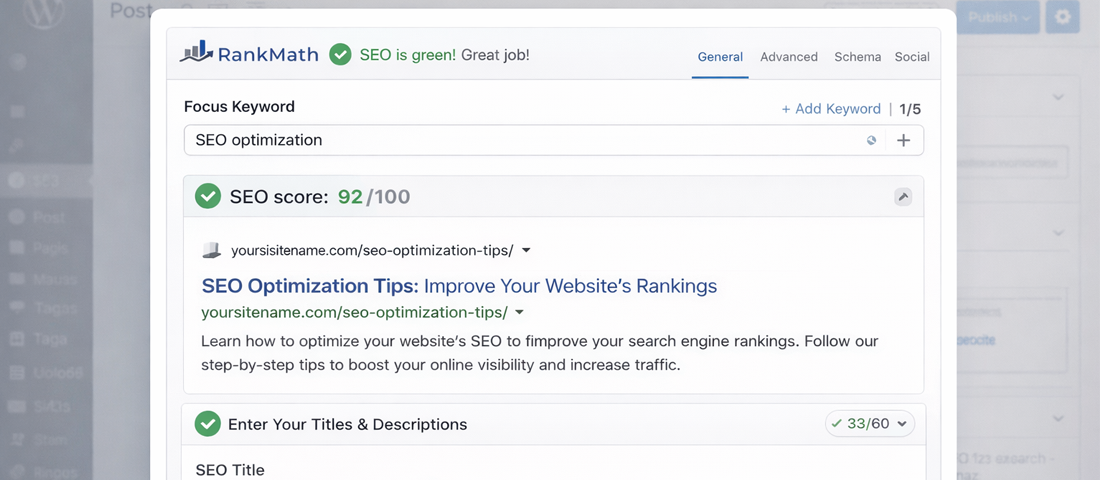
A good WordPress SEO plugin integrates directly into the post and page editor — showing SEO scores, allowing meta data editing, and generating schema markup without requiring technical knowledge.
Rank Math SEO — The Best Full-Featured SEO Plugin in 2026
What it does: Rank Math is a comprehensive WordPress SEO plugin covering: meta title and description editing for every post, page, and taxonomy; schema markup generation (Article, FAQ, HowTo, Product, Organisation, and dozens more types); XML sitemap generation; breadcrumb management; rich snippet preview; local SEO settings; redirection management; and 404 monitoring. The free version is more capable than most premium SEO plugins.
Why it matters: Rank Math’s schema markup capabilities are particularly valuable in 2026 — it generates FAQPage, HowTo, and other schema types automatically from content elements, making AI search visibility features accessible without custom development. Its integration with Google Search Console provides direct ranking data within the WordPress dashboard.
Cost: Free tier is excellent; Pro $6.99/month adds advanced schema types, content AI, and multi-location local SEO.
Yoast SEO — The Established Alternative
What it does: Yoast SEO is the original and most widely installed WordPress SEO plugin. It provides meta data management, XML sitemaps, breadcrumbs, and basic schema markup. Its content analysis feature provides a readability score and specific on-page SEO recommendations as you write.
Why it matters: Yoast SEO has an extremely broad base of tutorial content, community support, and hosting/theme compatibility testing. For WordPress users who prefer the most widely documented plugin, Yoast remains a solid choice. However, Rank Math’s free tier now offers more features, which has shifted recommendations in the industry.
Cost: Free with limited schema support; Premium $99/year per site for redirect manager, multiple focus keywords, and advanced features.
Redirection — Managing 301 Redirects Without Server Access
What it does: The Redirection plugin manages URL redirects within WordPress — specifically 301 (permanent) redirects from old URLs to new ones. It tracks 404 errors and allows you to create redirects for them directly from the error log. No server-level access or .htaccess editing required.
Why it matters: Redirects are essential during website redesigns, URL structure changes, and content reorganisations. Without proper redirects, deleted or moved pages generate 404 errors that waste crawl budget, frustrate visitors, and lose the ranking equity of the original pages. The Redirection plugin makes this manageable without developer intervention.
Cost: Free.
Analytics Plugins: Understanding Your Traffic and Behaviour
MonsterInsights — Google Analytics 4 in Your WordPress Dashboard
What it does: MonsterInsights connects your WordPress website to Google Analytics 4 and displays key analytics data directly within the WordPress dashboard — pageviews, sessions, bounce rate, top pages, traffic sources, and more. It also handles the technical setup of GA4 event tracking including scroll depth, outbound clicks, form submissions, and eCommerce transactions.
Why it matters: GA4 is a powerful analytics platform but has a steep learning curve for non-technical users. MonsterInsights surfaces the most important data in a clean, accessible dashboard within WordPress — meaning business owners can track performance without needing to navigate GA4’s complex interface. Its automatic event tracking implementation ensures conversions are tracked correctly without custom code.
Cost: Free basic version; Pro from $99.50/year for eCommerce tracking, custom dimensions, and advanced reporting.
Microsoft Clarity — Free Heatmaps and Session Recordings
What it does: Microsoft Clarity is a free analytics tool that provides heatmaps (showing where visitors click), scroll maps (showing how far down pages visitors scroll), and session recordings (video playback of individual visitor sessions). It complements quantitative analytics (what is happening) with qualitative insight (why it is happening).
Why it matters: Knowing that your contact page has a high bounce rate is useful. Watching session recordings of visitors on that page and seeing where they get confused, what they click on, and where they stop scrolling is far more actionable. Clarity is completely free and provides the kind of behavioural insight that used to require expensive tools like Hotjar or FullStory.
Cost: Free (unlimited sessions and recordings).
WordPress Analytics Plugins Worth Knowing: WP Statistics
For businesses that prefer to keep visitor data on their own server rather than sending it to Google or Microsoft, WP Statistics provides on-site WordPress analytics — visitor counts, top pages, referrers, and search terms — stored entirely within your own WordPress database. It is GDPR-friendly and requires no third-party account. Less powerful than GA4, but appropriate for businesses with data sovereignty concerns.
Chatbot and Conversion Plugins: Lead Capture and Engagement
Tidio — AI-Powered Chat for WordPress
What it does: Tidio integrates live chat, AI chatbot, and email marketing in one platform. The AI chatbot can answer common customer questions automatically, qualify leads, and hand off to a human agent when needed. The chatbot can be trained on your specific FAQ content and service information.
Why it matters: A well-configured chatbot captures leads outside business hours, reduces the friction of making contact for visitors who have quick questions, and qualifies enquiries before they reach your team. Tidio’s AI chatbot — powered by an LLM trained on your content — provides genuinely helpful responses rather than rigid menu-driven options.
Cost: Free starter plan; paid plans from $29/month for AI features and more active conversations.
WPForms — The Best User-Friendly WordPress Form Builder
What it does: WPForms provides a drag-and-drop form builder that creates contact forms, enquiry forms, quote request forms, and more without requiring code. It includes conditional logic (showing/hiding fields based on previous answers), spam protection, email notification configuration, and payment form capability.
Why it matters: Contact forms are the primary lead capture mechanism on most service business websites. WPForms creates forms that are simple to build, work reliably, and are accessible on mobile. The conditional logic feature allows smarter, shorter forms that ask only relevant questions — improving completion rates.
Cost: Free version (Lite) for basic forms; Pro from $49.50/year for conditional logic, payment integration, and advanced features.
Migration Plugins: Moving WordPress Sites Safely
All-in-One WP Migration — The Simplest WordPress Migration Tool
What it does: All-in-One WP Migration exports your complete WordPress site — database, media files, plugins, themes, and core files — into a single portable file, and imports it cleanly on any WordPress installation. It handles URL and path replacement automatically during import, removing the most technically complex aspect of WordPress migration.
Why it matters: Moving a WordPress site between hosting providers, migrating a staging site to production, or creating a backup for a complete site copy are common tasks that traditionally required developer expertise. All-in-One WP Migration makes them accessible to anyone comfortable with basic WordPress administration.
Cost: Free for sites under 512MB; extensions for unlimited file size from $69 one-time.
WP Migrate — For Developer-Grade Database Migration
What it does: WP Migrate (previously WP Migrate DB) is a developer-focused WordPress migration tool that specialises in database migration with find-and-replace of URLs, paths, and serialised data. It is the preferred tool for developers managing regular deployments between development, staging, and production environments.
Why it matters: WordPress stores URLs in the database in multiple ways, including inside serialised PHP arrays that simple find-and-replace operations break. WP Migrate handles serialised data correctly, making it the reliable choice for database-focused migrations and multi-environment deployments.
Cost: Free version for basic database export; Pro $99/year for direct push/pull between sites and media migration.
Link Management Plugins: Keeping Your WordPress Links Clean
Broken Link Checker — Identify and Fix Broken Links
What it does: Broken Link Checker scans your WordPress website continuously for broken links and missing images, displays them in a dashboard, and allows you to fix or unlink them directly from the results list without visiting individual posts.
Why it matters: Broken links are a technical SEO issue (they waste crawl budget and create a poor user experience) and a credibility issue (they signal to visitors that the website is not actively maintained). For content-heavy websites with many external links, broken link checking should be a regular maintenance task.
Cost: Free; note that the plugin uses server resources for scanning — on large sites, use the external checking service at brokenlinkcheck.com instead to avoid hosting impact.
Pretty Links — Link Management and Shortening
What it does: Pretty Links creates clean, branded short URLs (e.g., neelnetworks.com/go/portfolio) that redirect to any destination URL. It tracks clicks, manages affiliate links, and provides a centralised place to manage all outbound links — useful when a destination URL changes, as the short link redirect can be updated in one place.
Why it matters: For businesses using affiliate marketing, tracking specific campaign links, or wanting clean branded URLs for content shared on social media, Pretty Links provides centralised management and click analytics.
Cost: Free for basic link management; Pro from $99/year for automatic keyword linking, detailed analytics, and advanced features.
Database Optimisation Plugins: Keeping WordPress Fast and Clean
WP-Optimize — The Best Free Database Cleaning Plugin
What it does: WP-Optimize cleans the WordPress database by removing post revisions (WordPress saves a copy of every draft — these accumulate rapidly), trashed posts, spam comments, expired transients, and other database overhead. It also provides table optimisation (defragmentation) and includes a caching component.
Why it matters: An unoptimised WordPress database on a site with years of content can contain hundreds of thousands of unnecessary rows — slowing database queries and increasing page load times. WP-Optimize’s cleaning and optimisation typically reduces database size by 30 to 60% on older sites, with corresponding improvements in query speed.
Cost: Free for core cleaning features; Premium $49/year per site for automatic scheduling, multisite support, and combined caching.
Advanced Database Cleaner — For Granular Database Management
What it does: Advanced Database Cleaner provides more granular control over database cleaning than WP-Optimize — allowing you to review exactly what will be deleted before deletion, schedule automated cleaning, and inspect orphaned database tables left by uninstalled plugins.
Why it matters: Orphaned database tables from uninstalled plugins are a commonly overlooked source of database bloat. Advanced Database Cleaner identifies these and allows safe removal, keeping the database clean even as plugins are installed and removed over the life of the website.
Cost: Free; Pro from $34/year for scheduled cleaning and premium support.
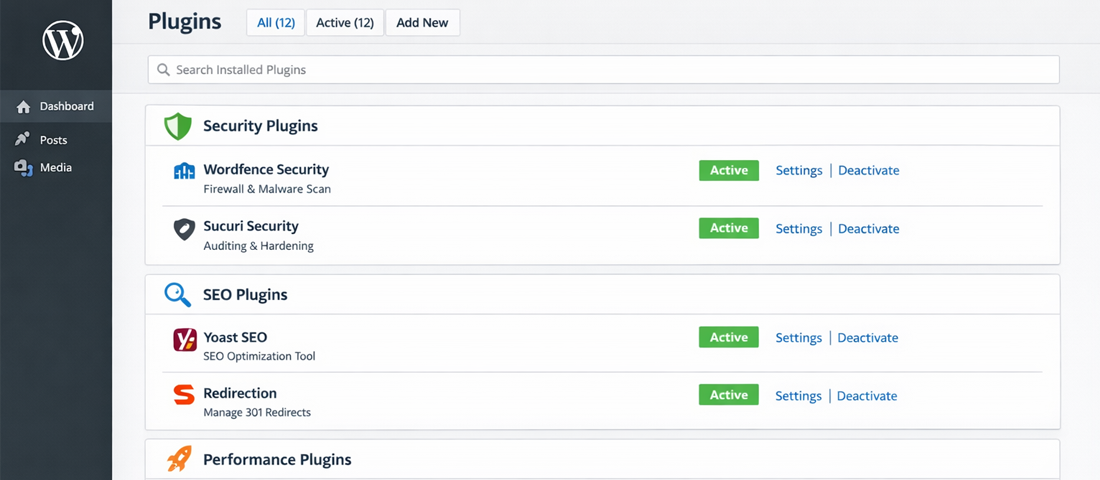
A well-curated WordPress plugin stack — minimal, purpose-selected, with no overlap or redundancy — is the foundation of a fast, secure, and effective business website.
The Recommended WordPress Plugin Stack for 2026
Rather than picking and choosing from the above, here is our recommended baseline plugin stack for a professional business WordPress website in 2026 — covering every essential category without overlap:
| Category | Recommended Plugin | Free / Paid |
|---|---|---|
| Caching & Performance | WP Rocket (non-LiteSpeed) or LiteSpeed Cache (LiteSpeed) | Paid / Free |
| Image Optimisation | ShortPixel or EWWW Image Optimizer | Free (limited) / Paid |
| Security Suite | Wordfence Security (free tier) | Free / Paid |
| DNS-Level Security + CDN | Cloudflare (free plan) | Free |
| Backups | UpdraftPlus | Free / Paid |
| SEO | Rank Math SEO | Free / Paid |
| Redirects | Redirection | Free |
| Analytics | MonsterInsights + Microsoft Clarity | Free / Paid |
| Contact Forms | WPForms | Free / Paid |
| Chatbot | Tidio (if needed) | Free / Paid |
| Database Optimisation | WP-Optimize | Free / Paid |
| Migration | All-in-One WP Migration | Free / Paid |
The golden rule of WordPress plugins: Install only what you actively use. A plugin installed and activated but not configured or used still adds to your site’s page load. A plugin abandoned by its developer is a security liability. And two plugins that both handle the same function (two caching plugins, two SEO plugins, two security suites) create conflicts, not double protection. Audit your plugin list quarterly — deactivate and delete anything that is not earning its place.
Frequently Asked Questions About WordPress Plugins
| How many plugins should a WordPress website have? | There is no fixed maximum number of WordPress plugins that is always acceptable or always problematic — the right number is however many are needed to deliver the website’s required functionality, with no overlap or redundancy. A well-optimised business website might run 10 to 15 carefully chosen plugins with no performance or security issues. A poorly chosen set of 8 plugins that overlap in functionality, conflict with each other, or include heavy page builders can cause more problems than 20 well-selected lightweight ones. The principle is quality over quantity: every active plugin should be earning its place with a specific, necessary function. |
| What is the best WordPress SEO plugin in 2026? | Rank Math SEO is our recommended WordPress SEO plugin in 2026. Its free tier is more feature-rich than most paid alternatives — providing meta data management, XML sitemap generation, breadcrumbs, comprehensive schema markup (including FAQPage, HowTo, and Product schemas), Google Search Console integration, and 404 monitoring. Its schema markup capabilities are particularly valuable for AI search optimization, automatically generating the structured data that helps content appear in Google AI Overviews and other AI search features. Yoast SEO remains a solid and widely supported alternative if you prefer the most extensively documented option. |
| What is the best free WordPress security plugin? | Wordfence Security has the best free tier of any WordPress security plugin. The free version includes a web application firewall, malware scanner, brute force protection with login attempt limiting, real-time IP blocking, and live traffic monitoring. For maximum protection, combine Wordfence with Cloudflare’s free plan (DNS-level DDoS protection and basic WAF) — this two-layer approach blocks many attacks before they ever reach your WordPress installation, reducing the load on Wordfence and providing defence in depth. |
| Do WordPress plugins slow down your website? | Yes — every active WordPress plugin adds overhead to your website, typically in the form of database queries, PHP execution, and often CSS and JavaScript files loaded on every page. The actual impact varies significantly: a lightweight, well-coded plugin may add only a few milliseconds; a heavy plugin loading a large JavaScript library on every page could add hundreds of milliseconds. The key is being selective about which plugins are installed and active, testing the performance impact of each new plugin using PageSpeed Insights before and after installation, and regularly auditing your plugin list to remove anything that is not actively needed. |
| What is the best WordPress caching plugin? | WP Rocket is the best premium WordPress caching plugin for non-LiteSpeed hosting environments — it handles page caching, browser caching, CSS/JS optimisation, lazy loading, and database optimisation in a single well-designed plugin. LiteSpeed Cache is the best option for WordPress sites on LiteSpeed hosting, providing server-level caching that is more efficient than PHP-level alternatives and is completely free. Both consistently produce better Core Web Vitals scores than competing caching solutions when properly configured. |
| Is it safe to update WordPress plugins automatically? | Enabling automatic updates for WordPress core (minor/security versions) is recommended — security patches need to be applied promptly. For plugins, automatic updates are a reasonable choice for well-established, actively maintained plugins where the risk of a breaking update is low. However, for business-critical websites, many professionals prefer to test plugin updates on a staging environment first and then apply them manually to the live site — ensuring a major plugin update that breaks functionality is caught before it affects real visitors. If you have a maintenance provider, they should handle plugin updates manually with staging testing as part of the service. |

Need help setting up the optimal WordPress plugin stack for your business website?
Neel Networks configures, tests, and maintains WordPress plugin stacks for business websites across the USA, UK, Canada, and Australia — ensuring maximum performance, security, and functionality from a curated, conflict-free plugin set.